
Your whole school, on one school management system.
School management software for attendance, exams, fees and staff — on desktop and phone.
Already have an account? Sign in with username or email
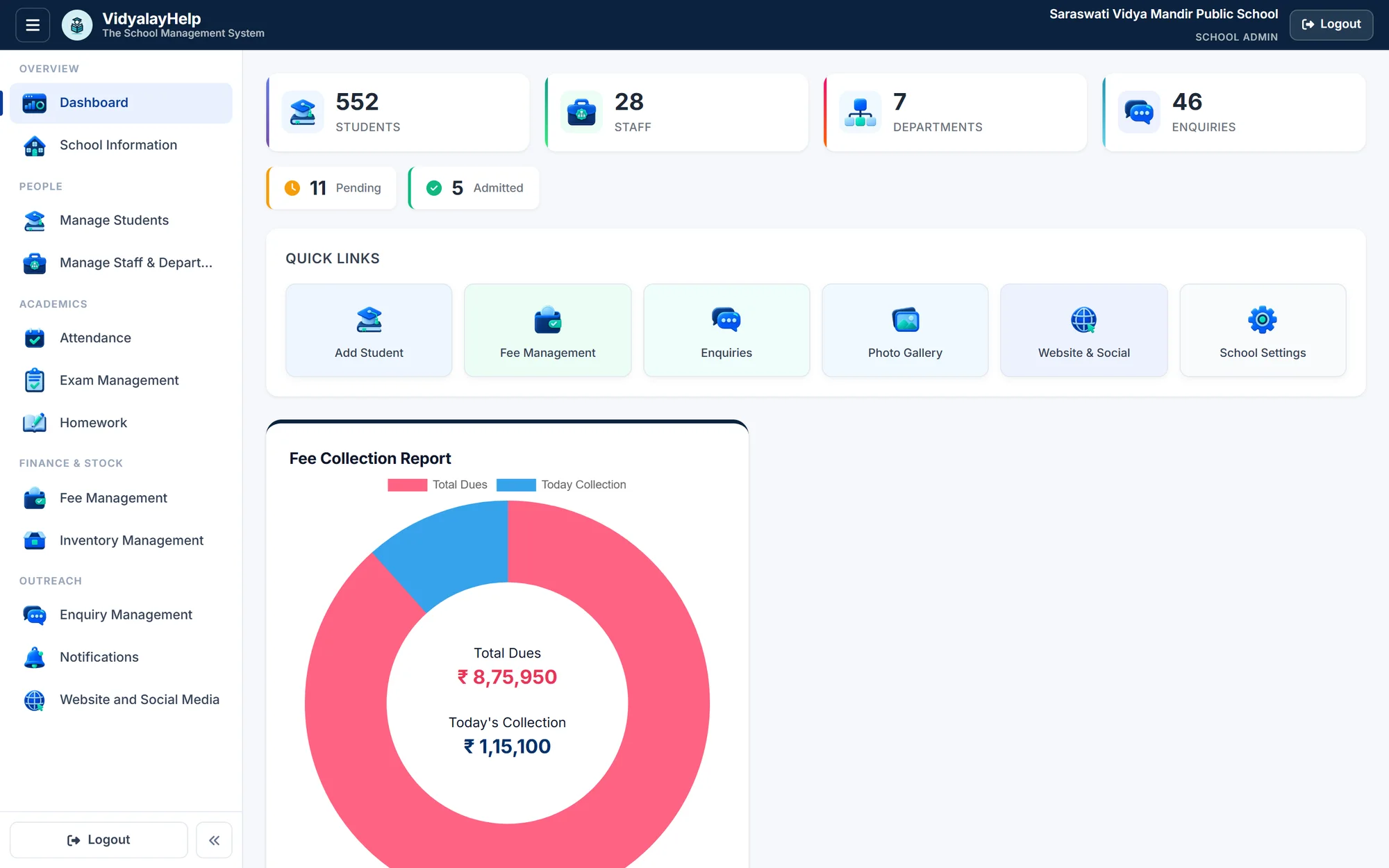
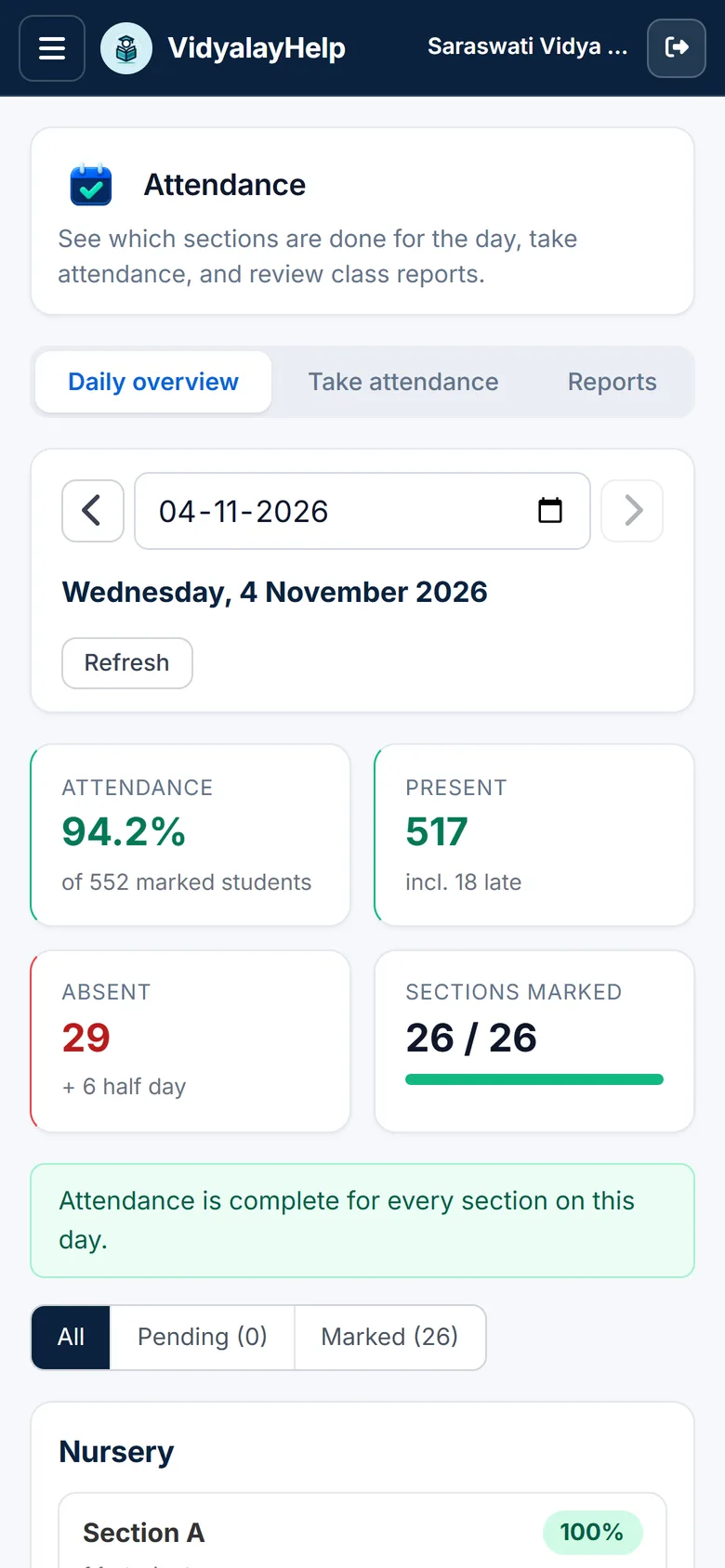
See it the way your office will
Your whole school at a glance
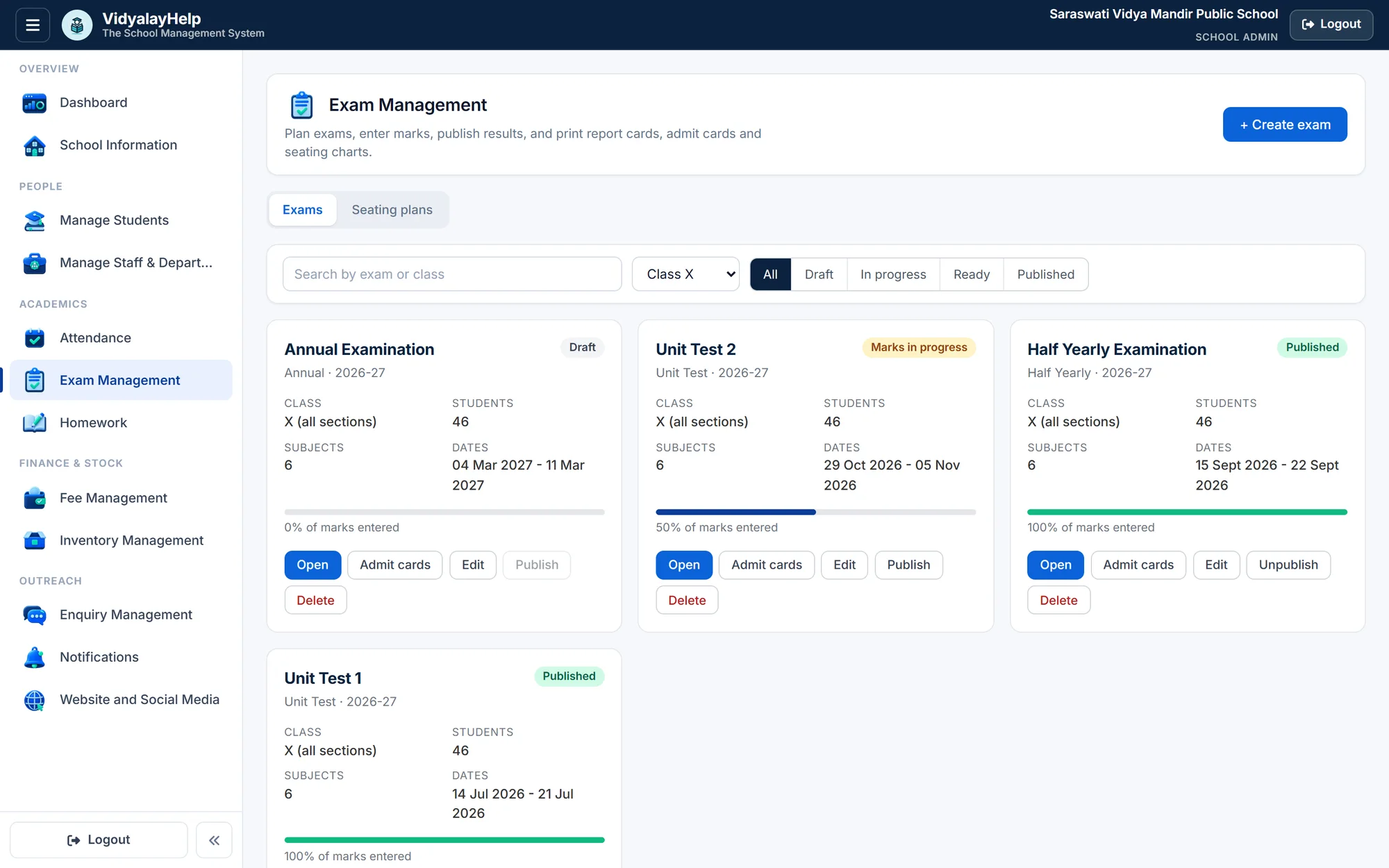
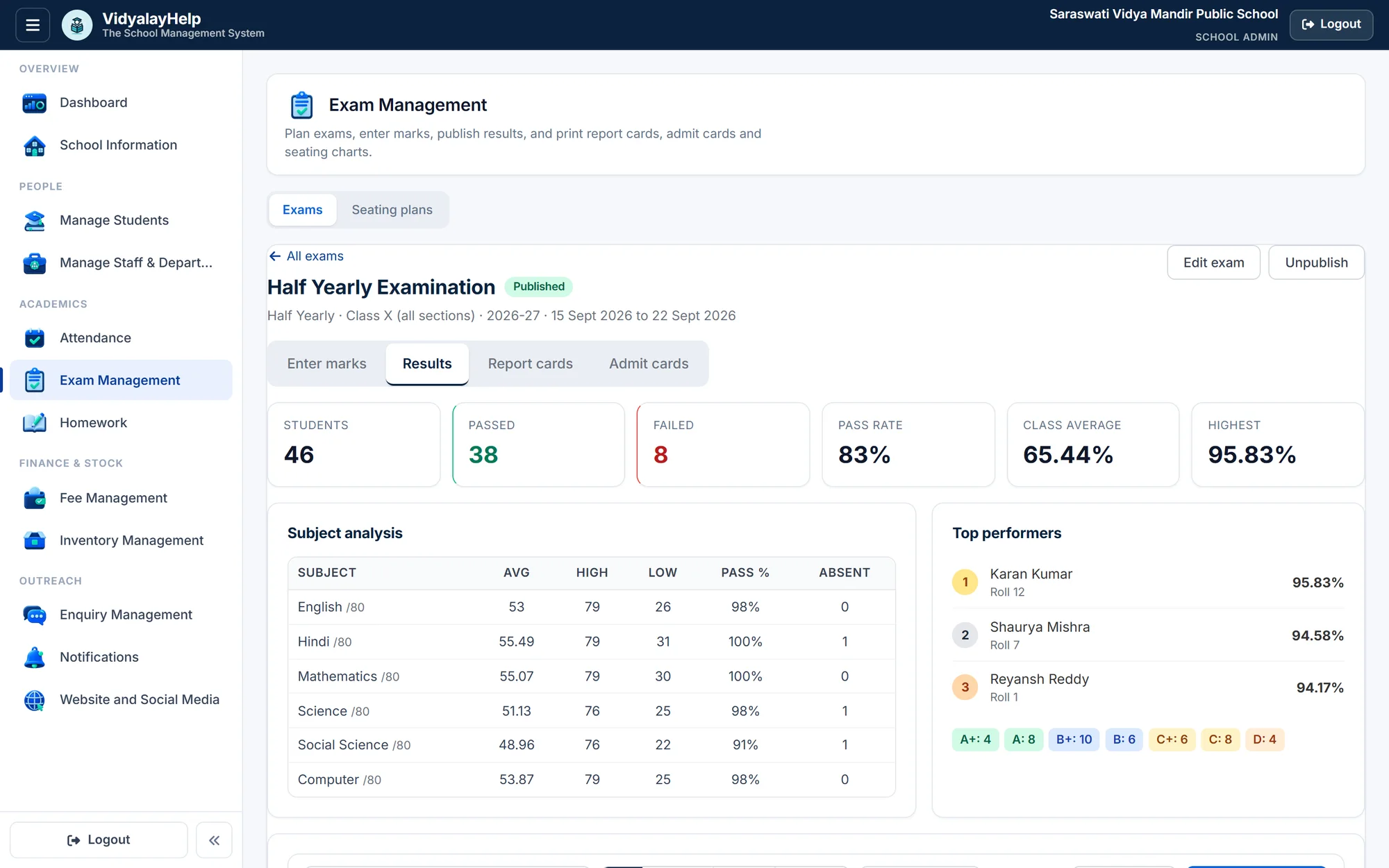
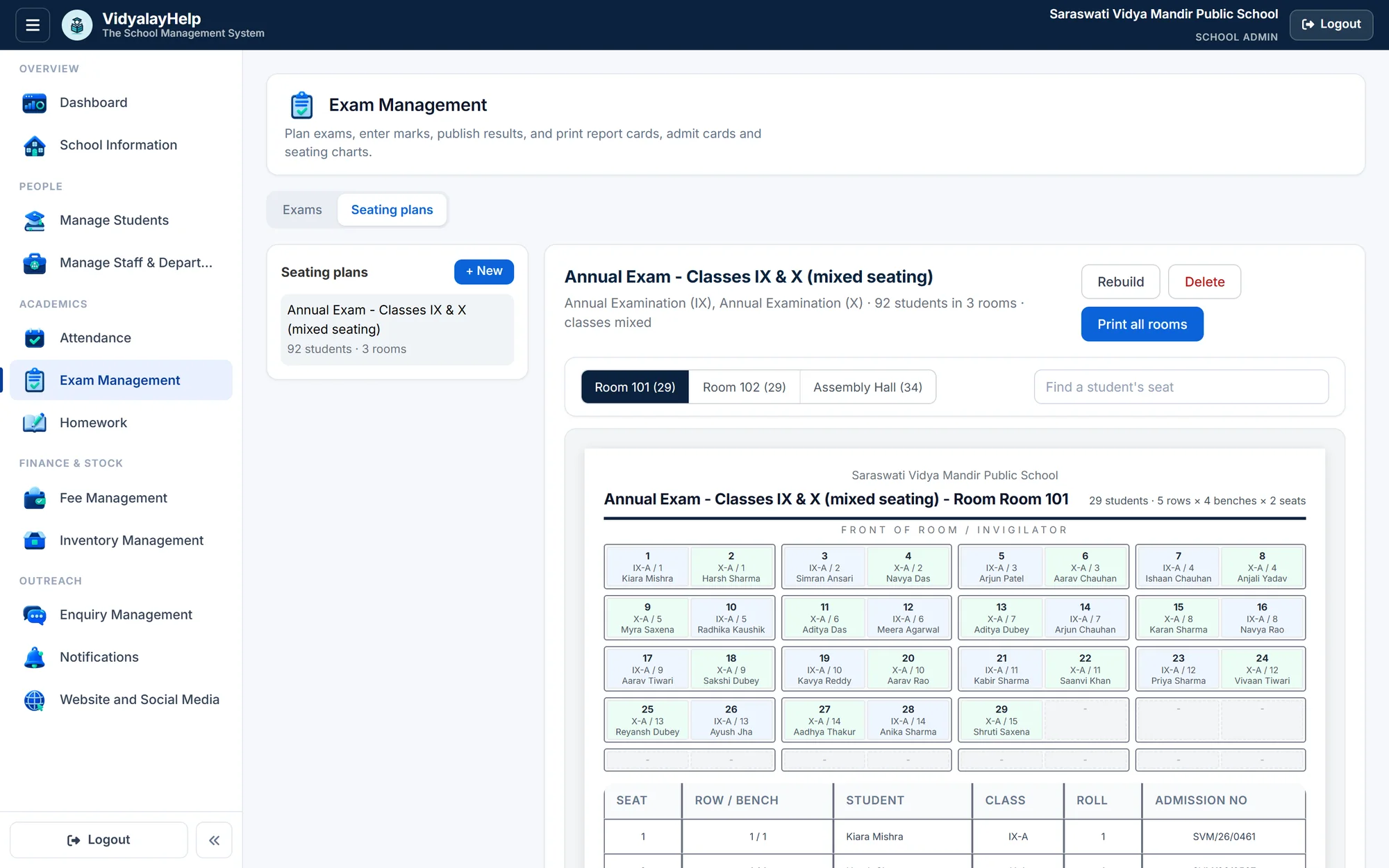
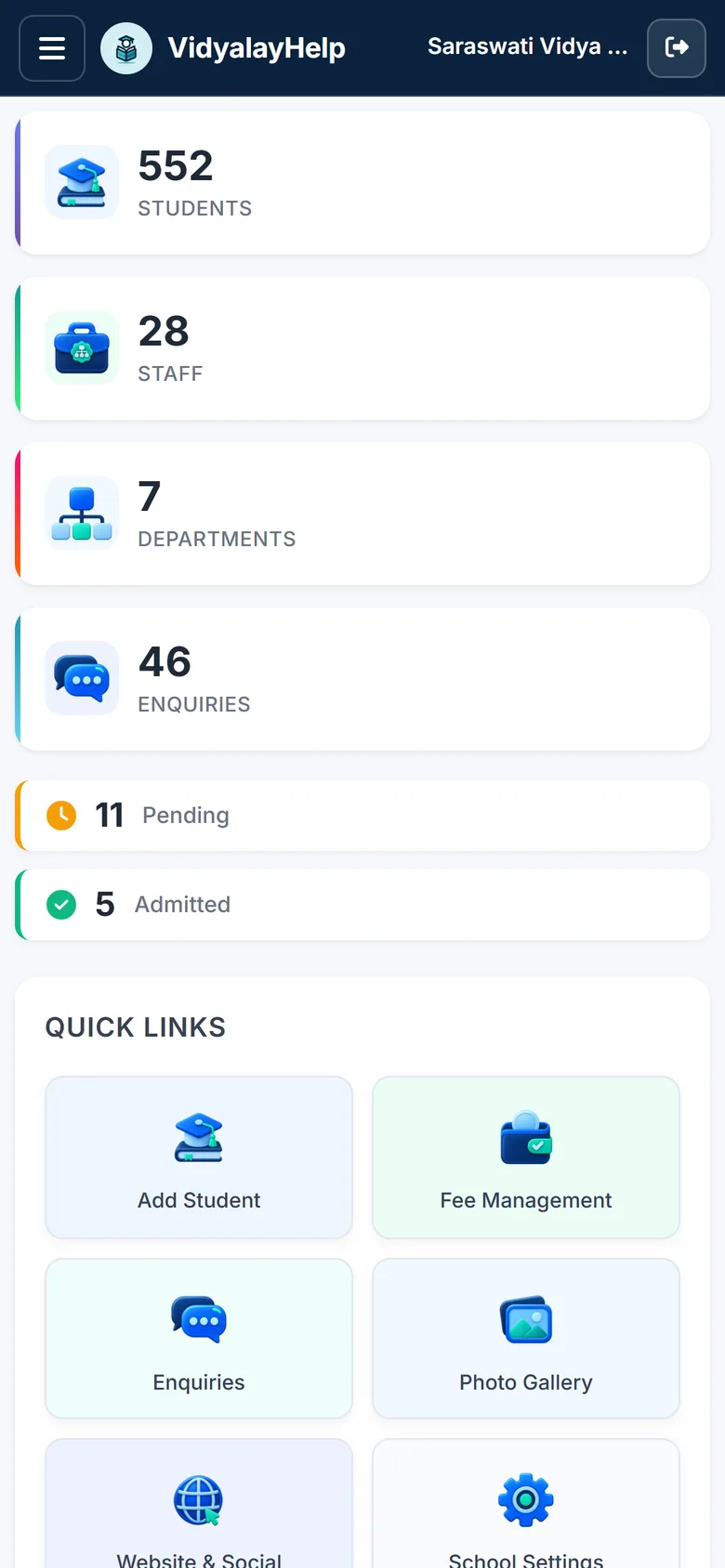
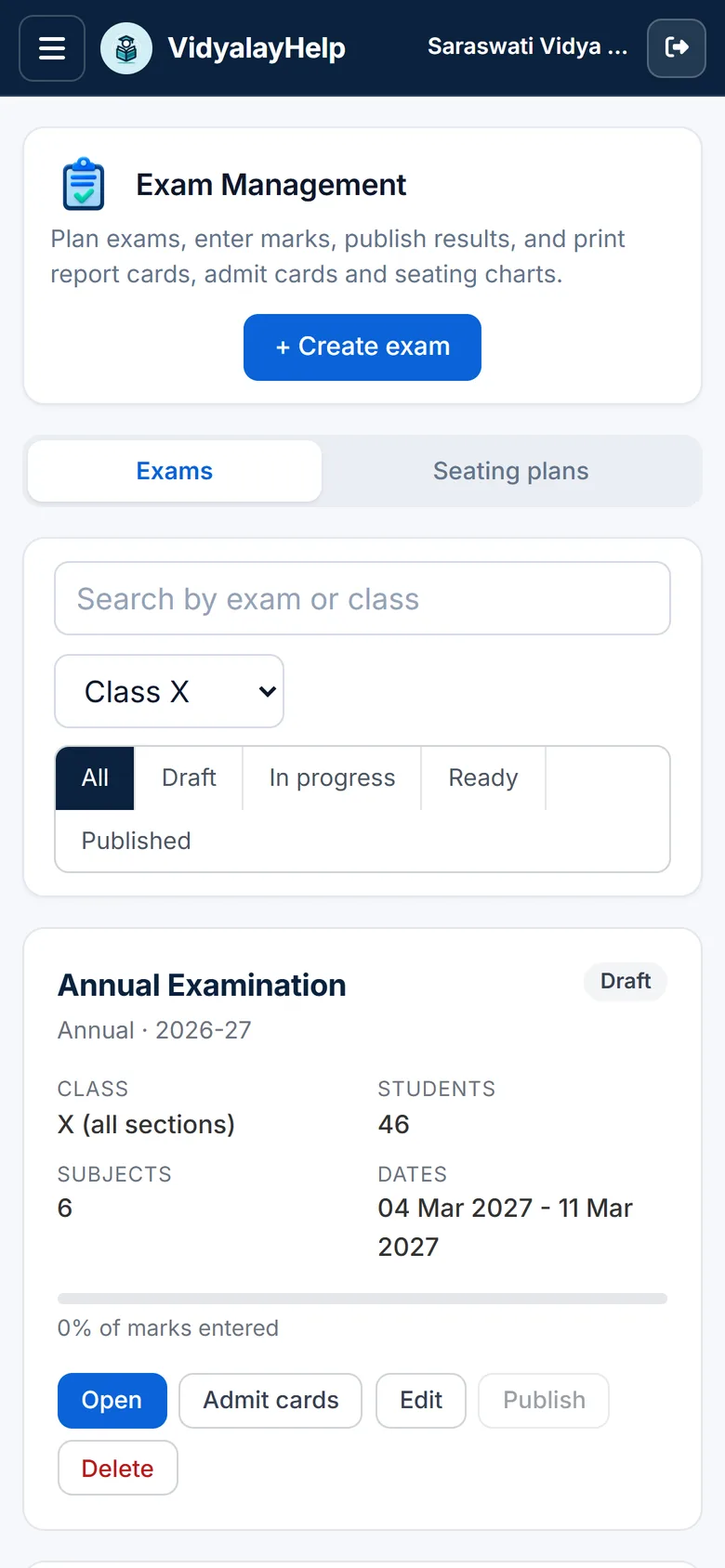
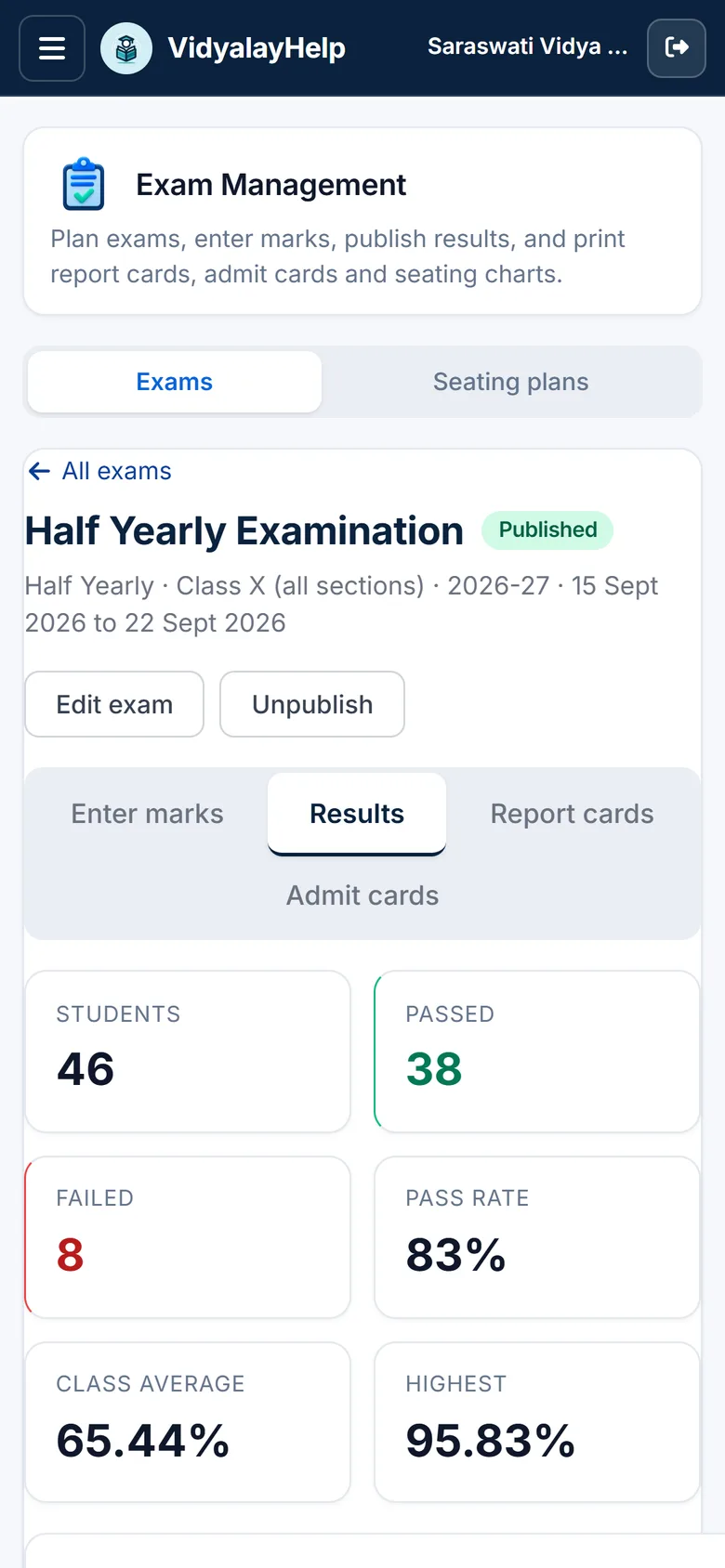
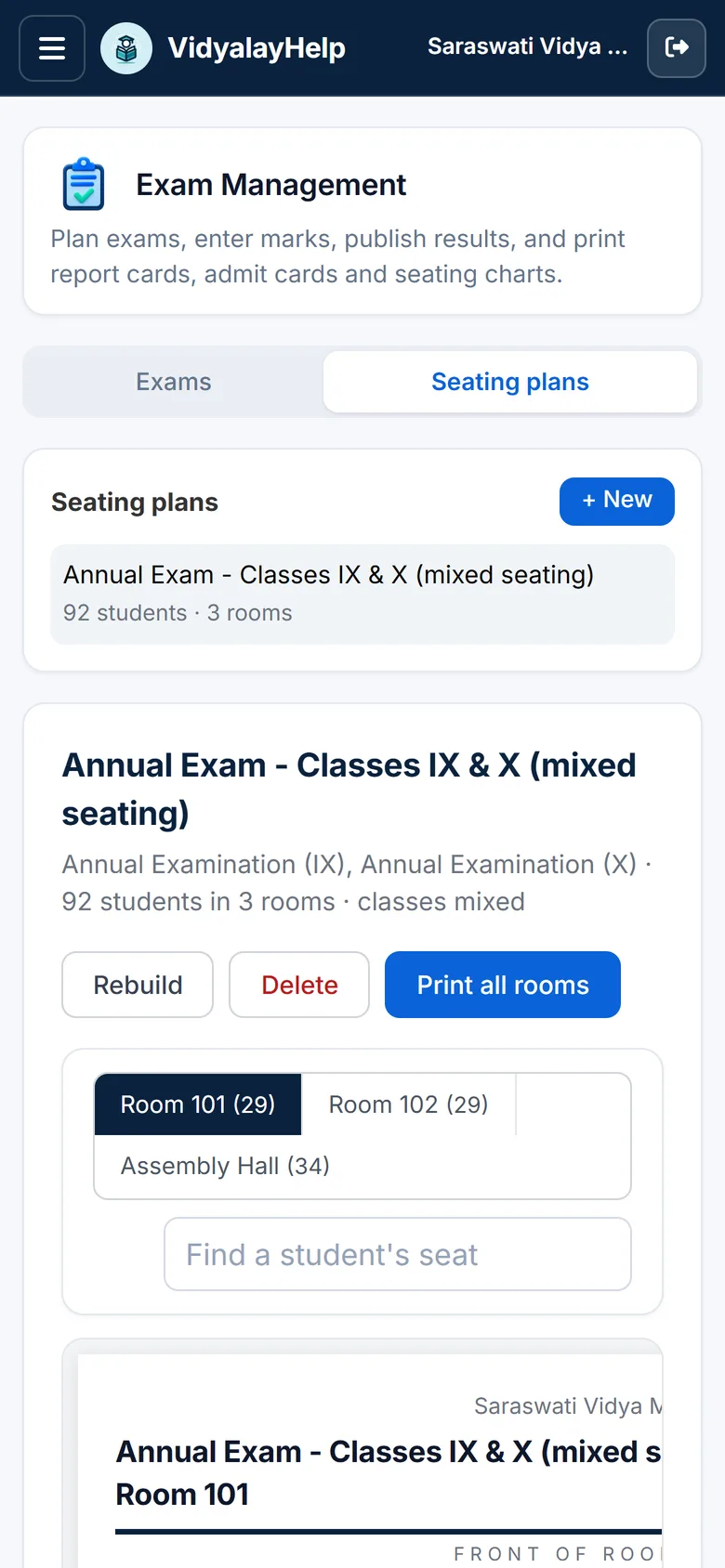
Real screens from a demo school: 552 students, 28 staff.
Everything a school needs
Students
Attendance
Exams & results
Fees
Staff
Homework
Inventory
Admissions
Notice board
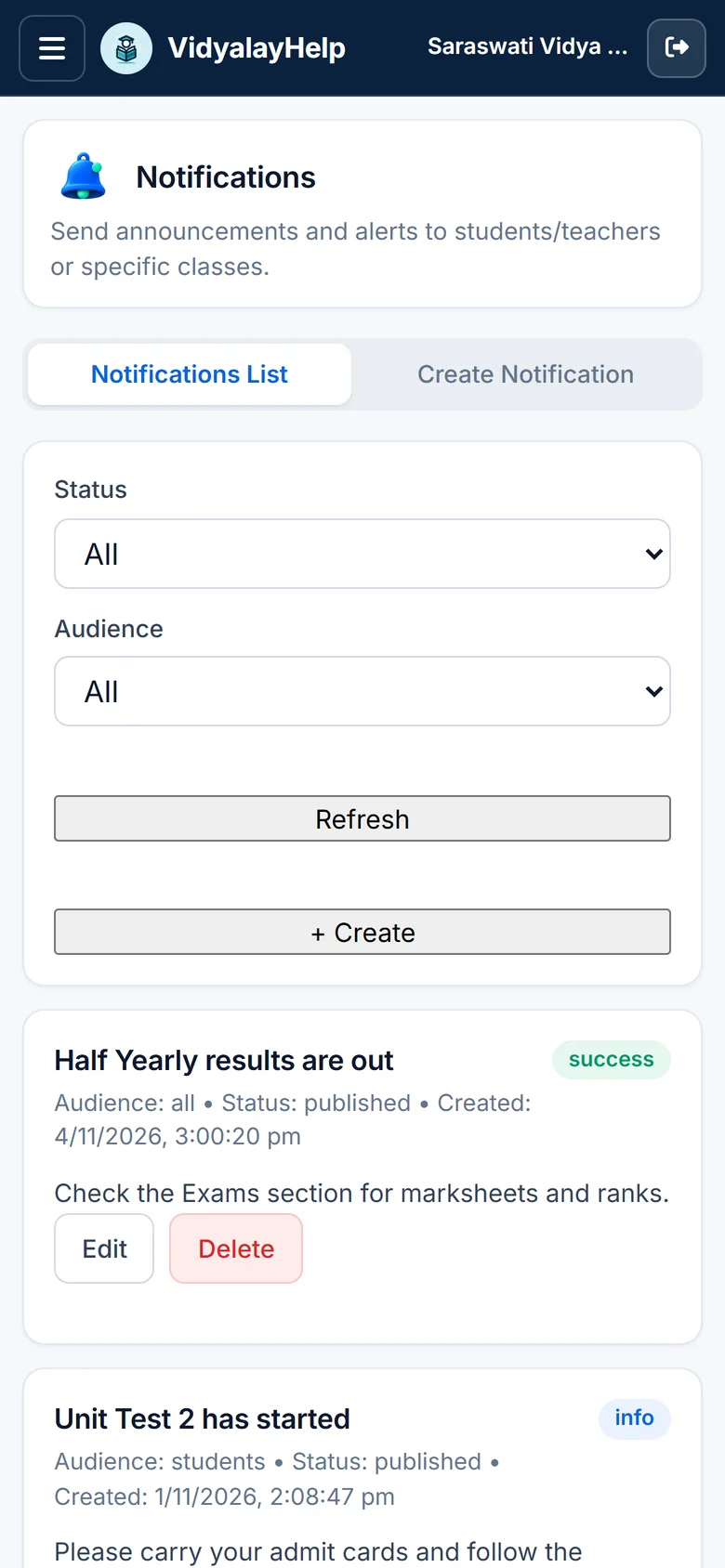
Notifications
School website
Mobile API
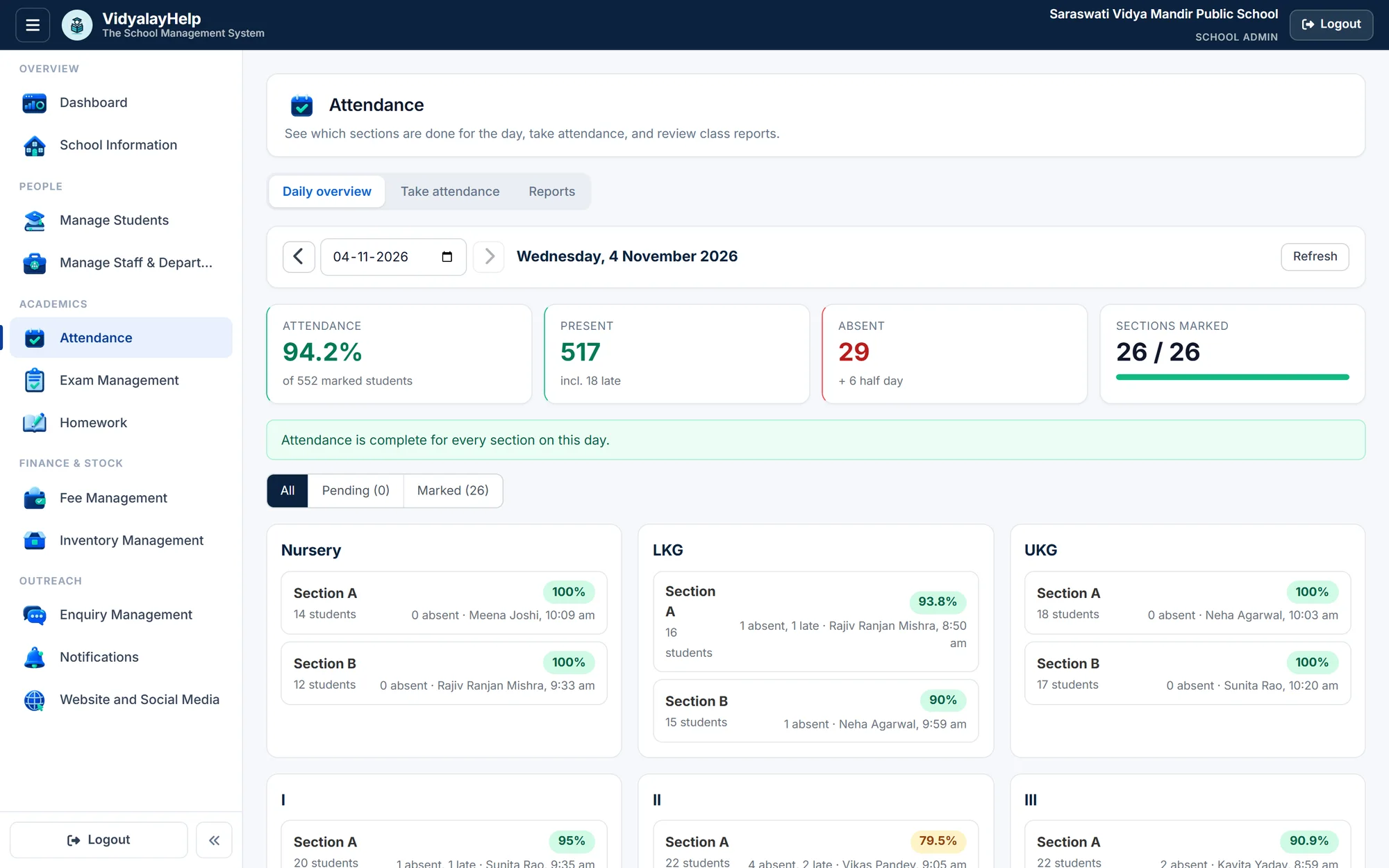
Daily attendance in under a minute
Teachers mark their own sections. You watch the school fill in.
- Present, late, half-day, absent
- Monthly and session reports
- Spot students below 75%
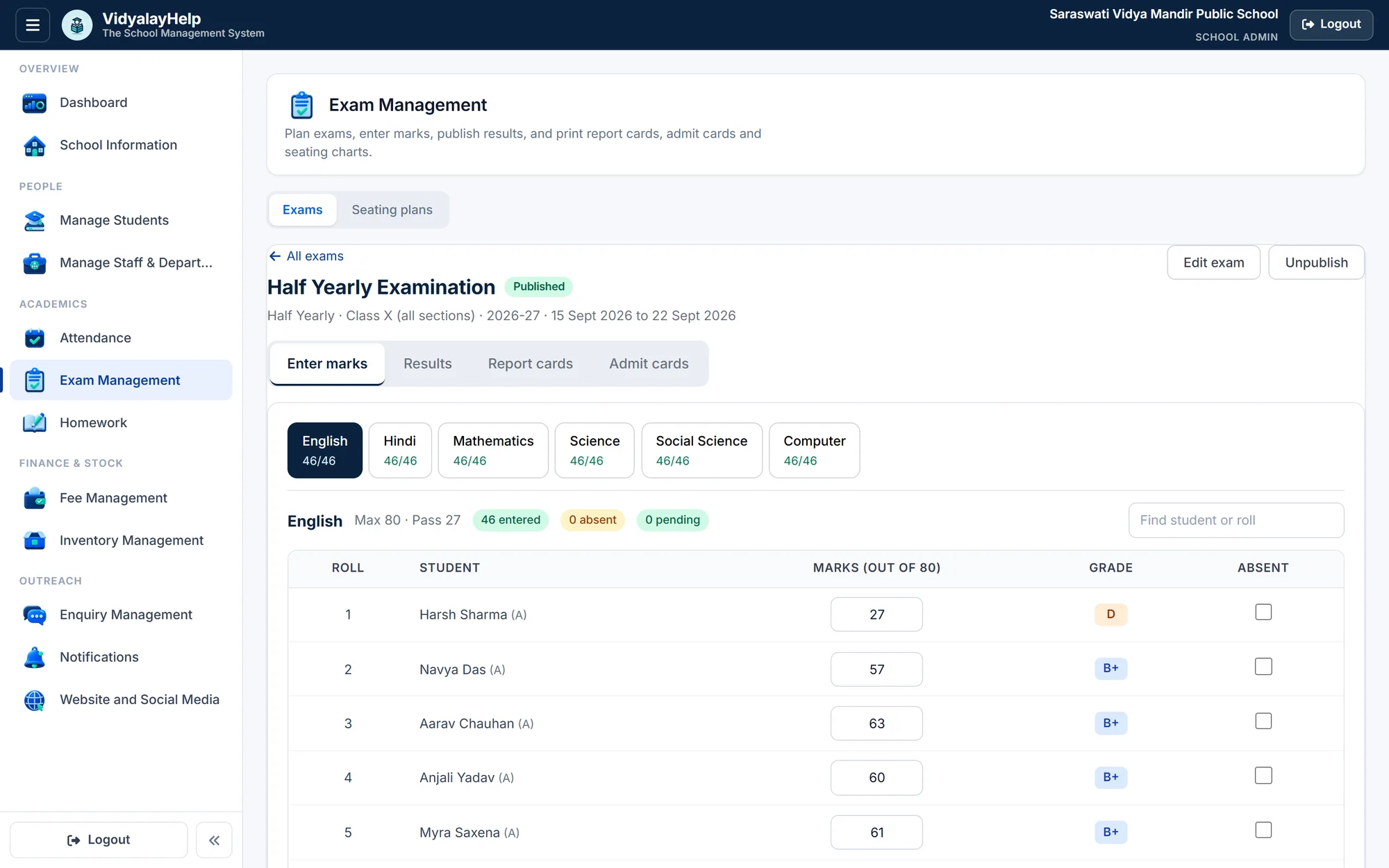
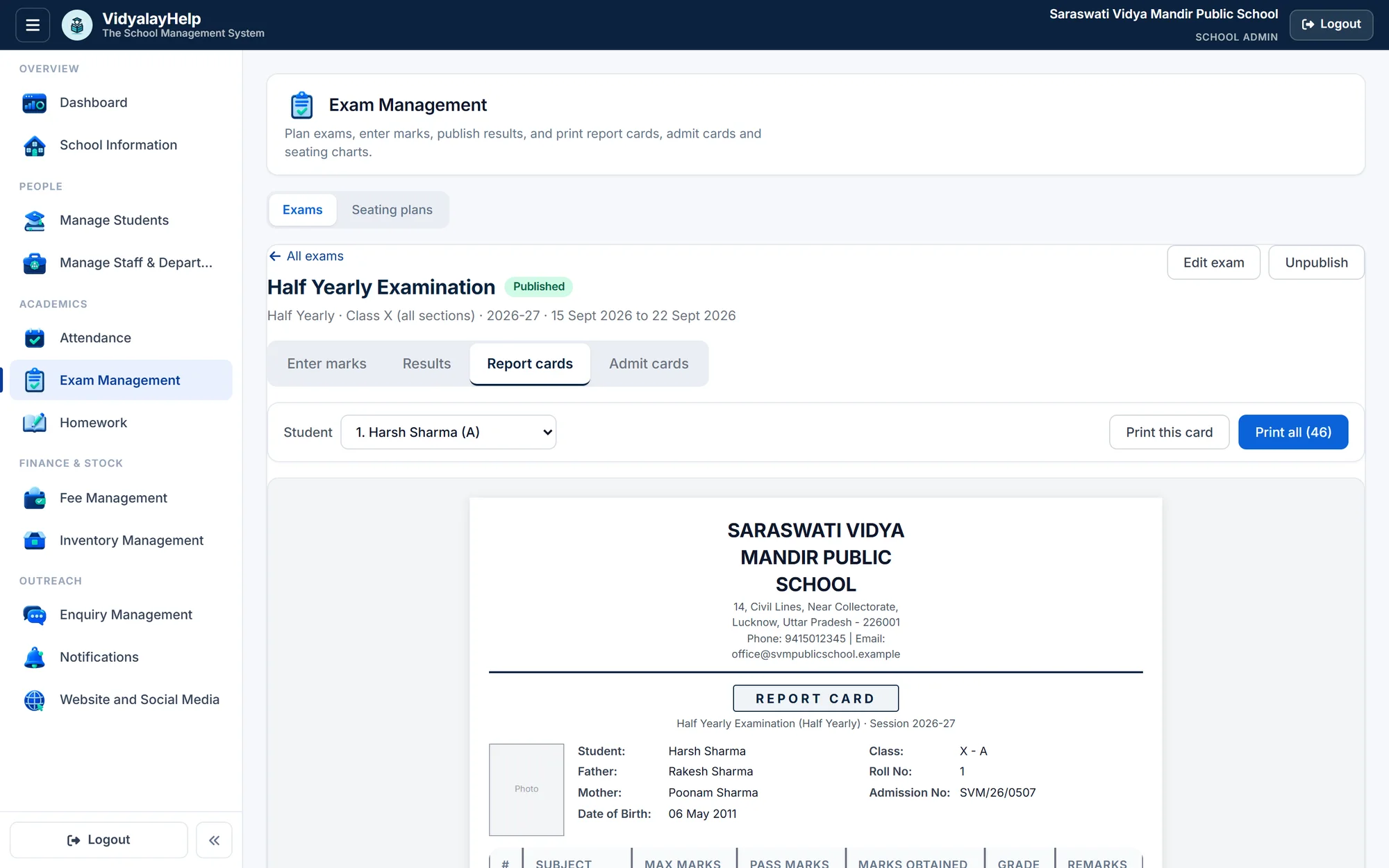
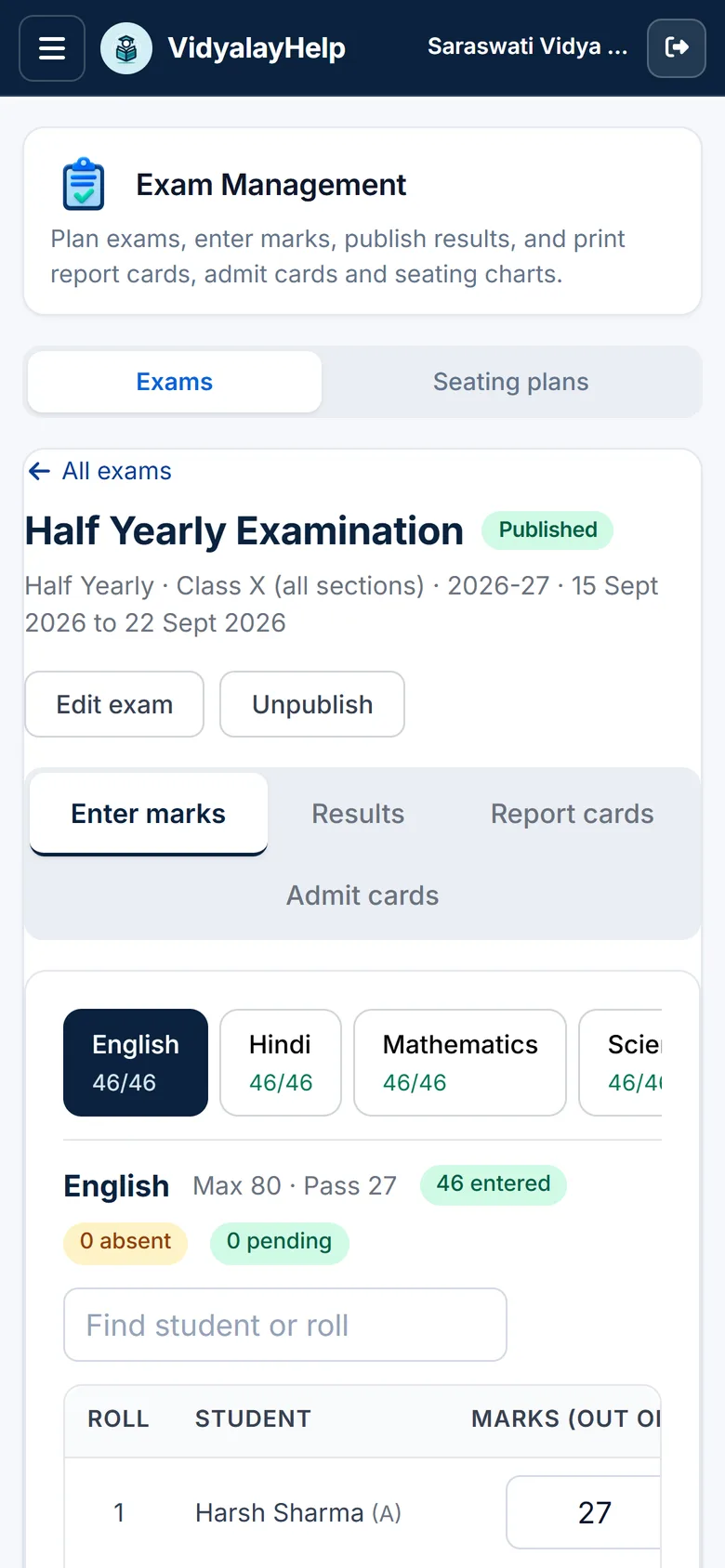
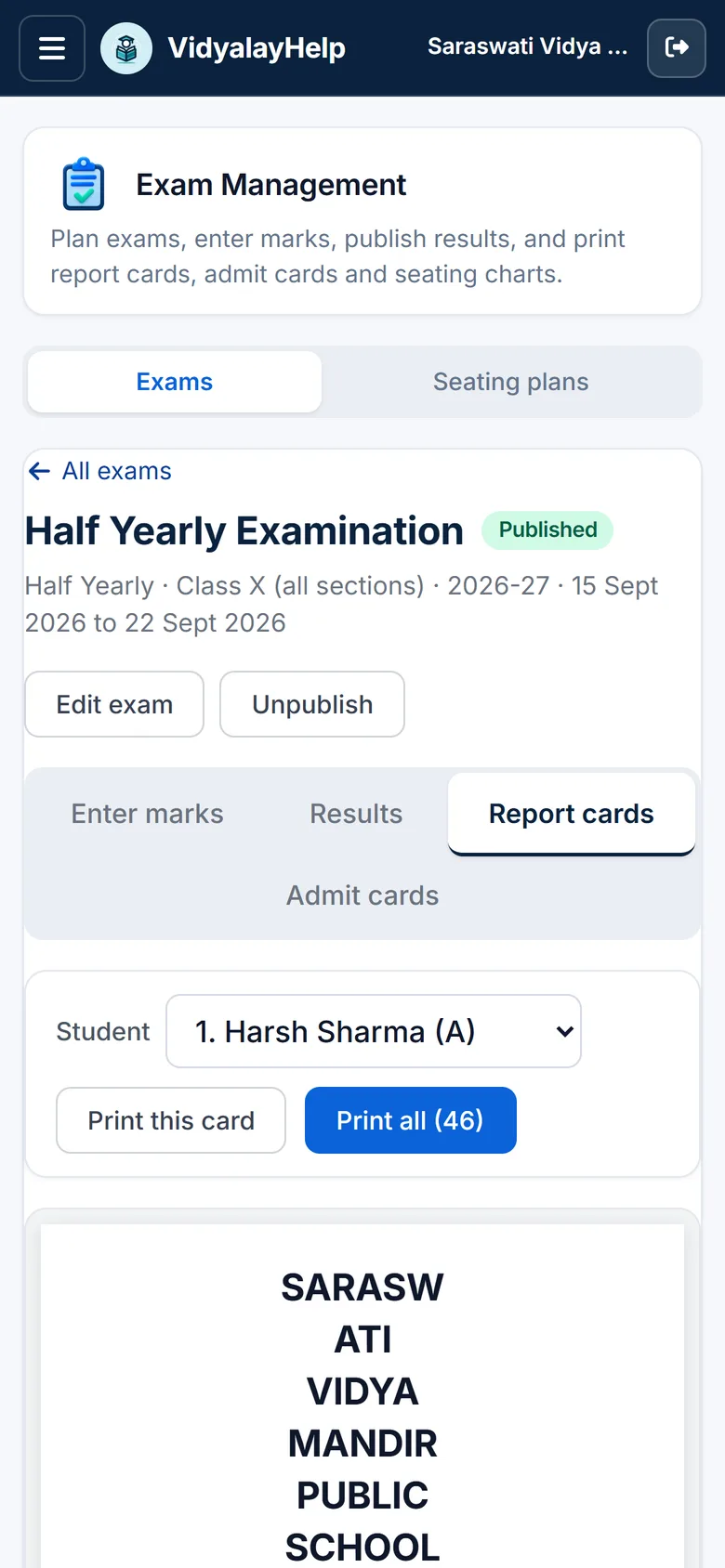
From timetable to report card
Enter marks, see the analysis build itself, print everything for exam day.
- Auto grades and pass rate
- Report cards and admit cards
- Mixed-class seating plans
Track every rupee, effortlessly
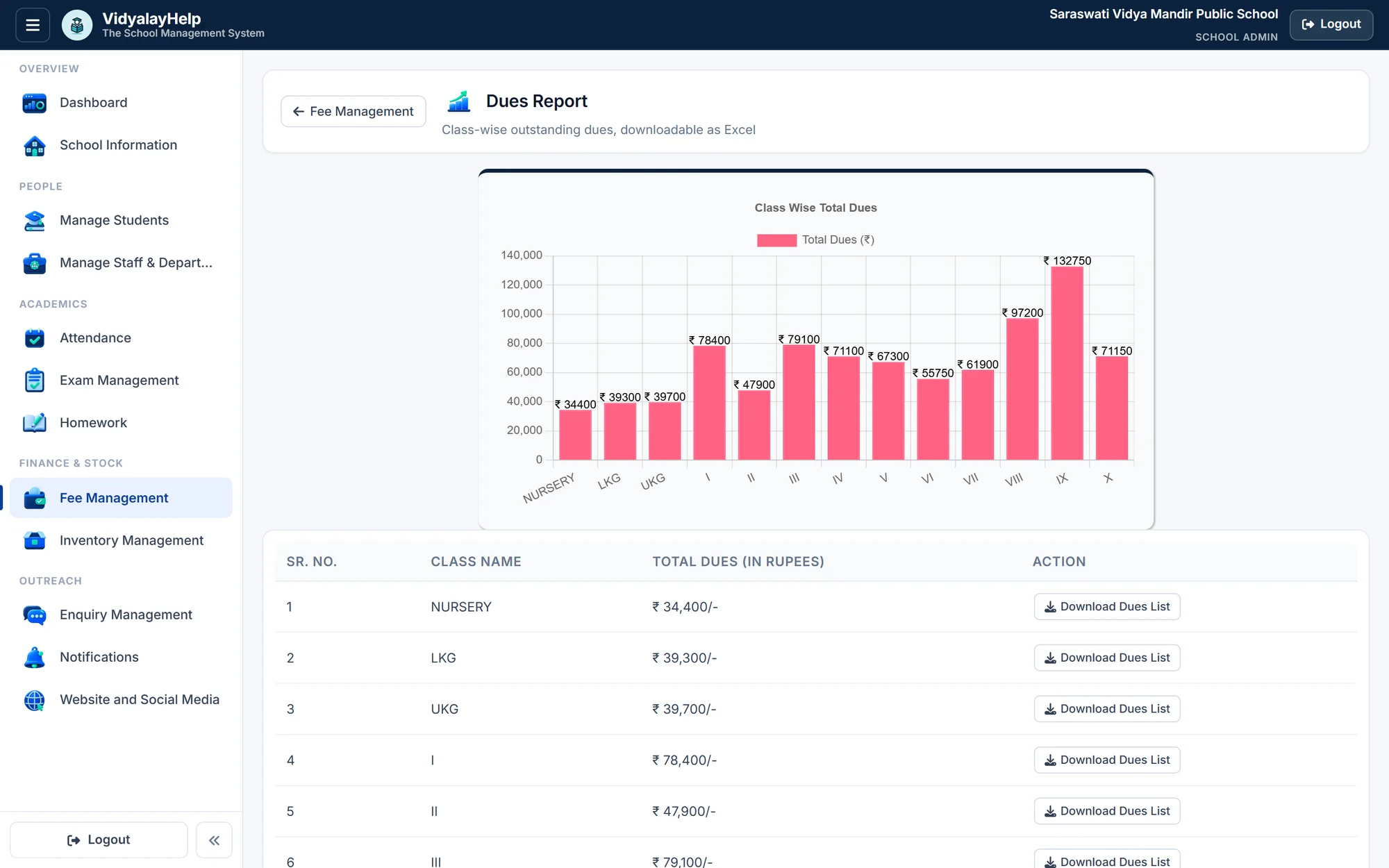
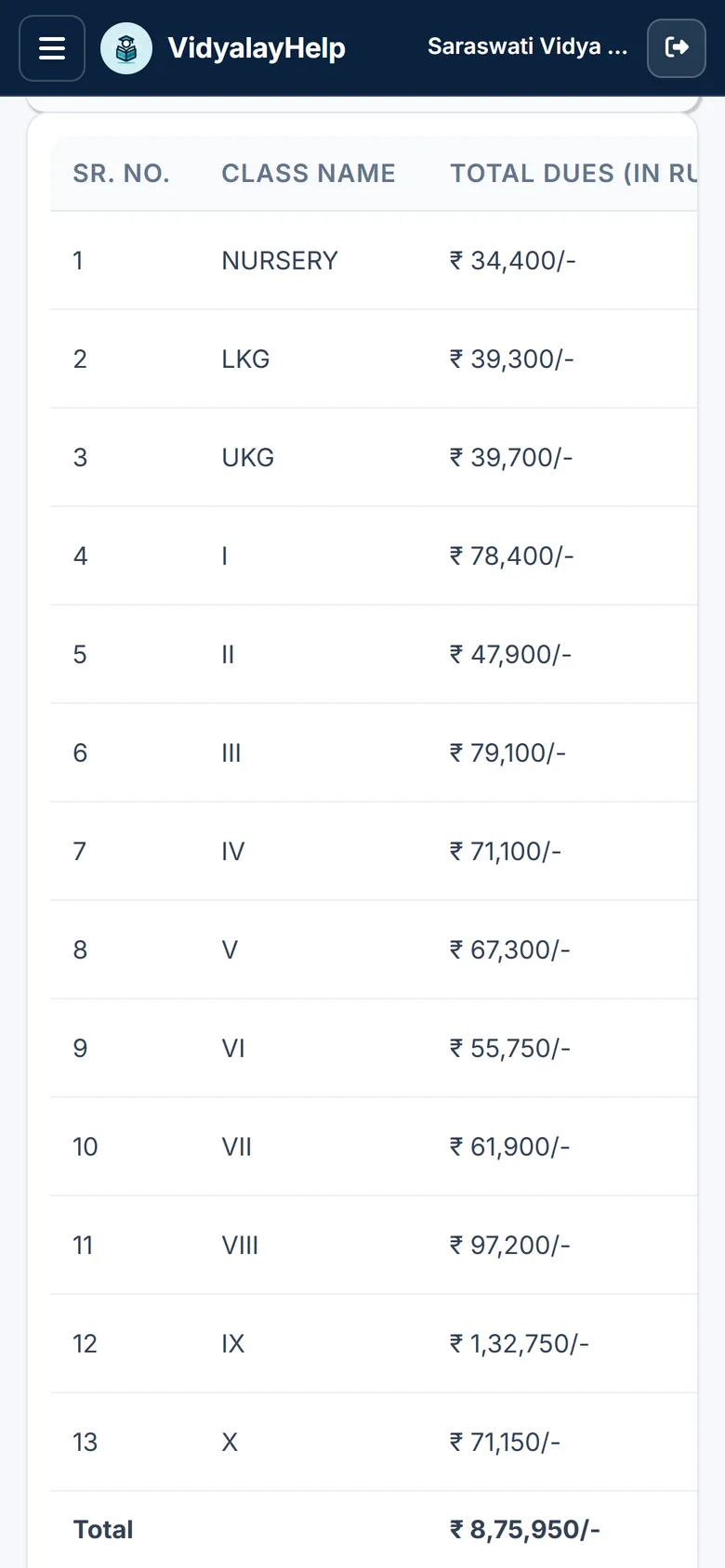
A proper ledger behind every student, and a clear view of what is outstanding.
- Monthly dues and part-payments
- Receipts with unique numbers
- Class-wise dues in Excel
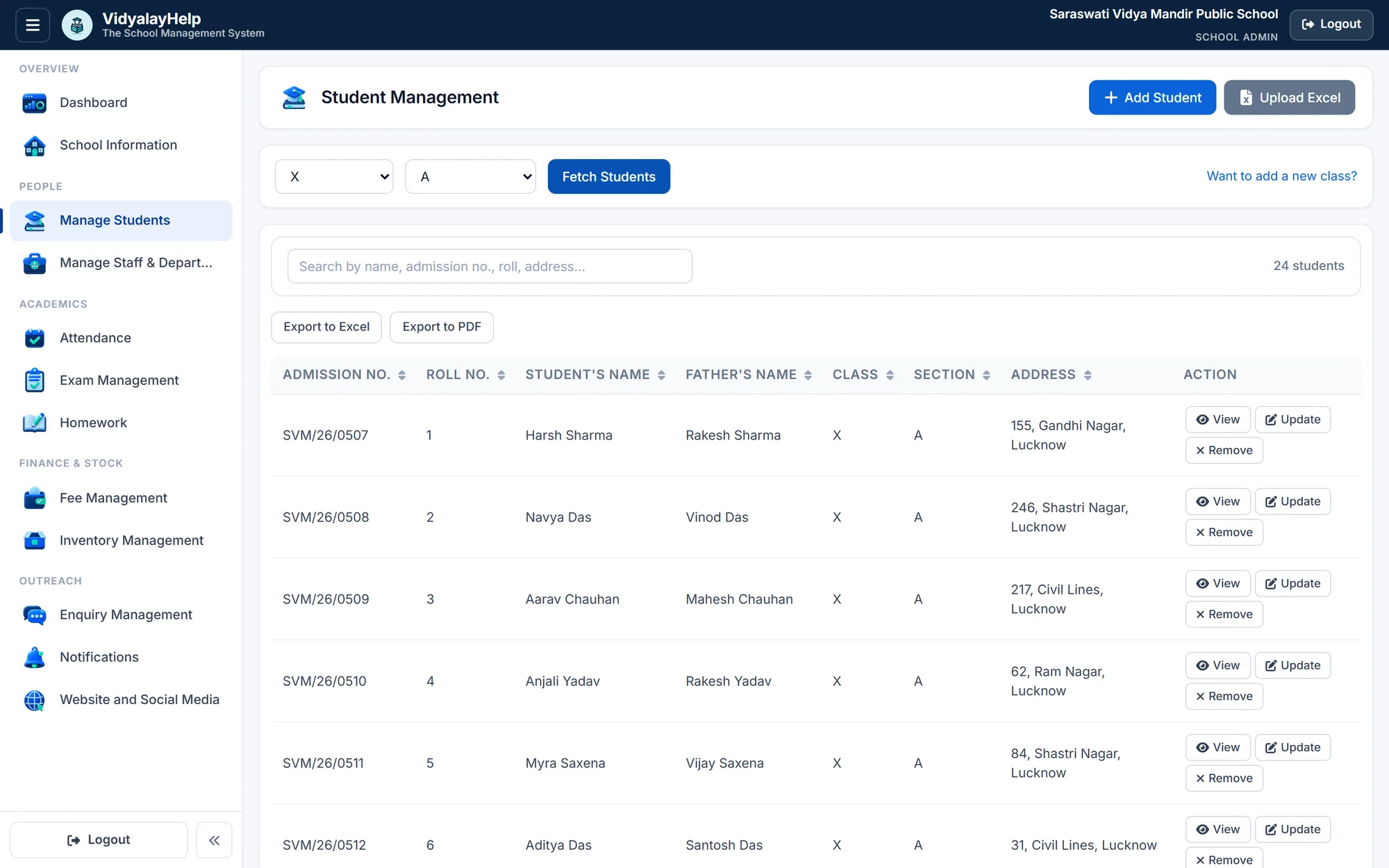
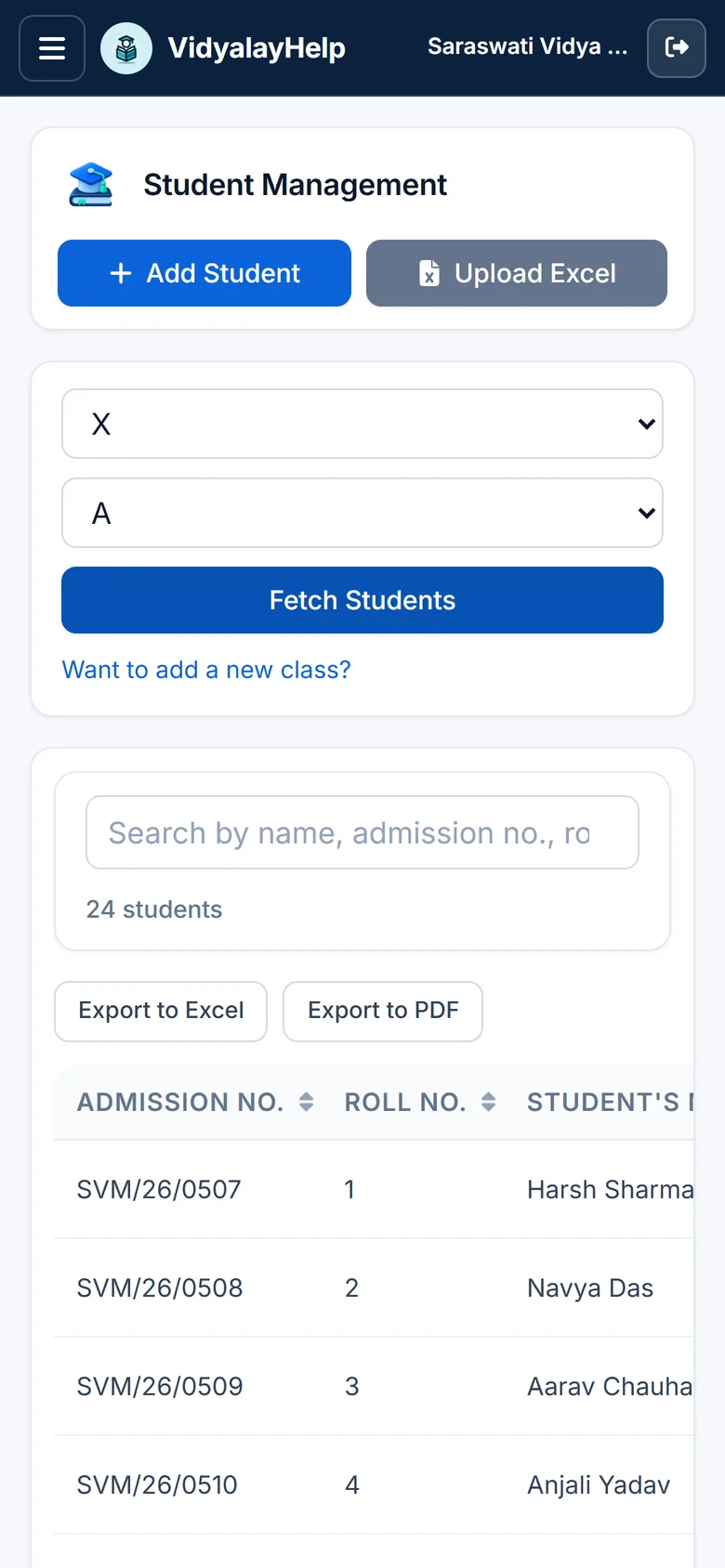
Every student, one clean record
Family, transport and previous school, searchable in a blink.
- Bulk Excel upload
- Class and section rosters
- Auto-generated logins
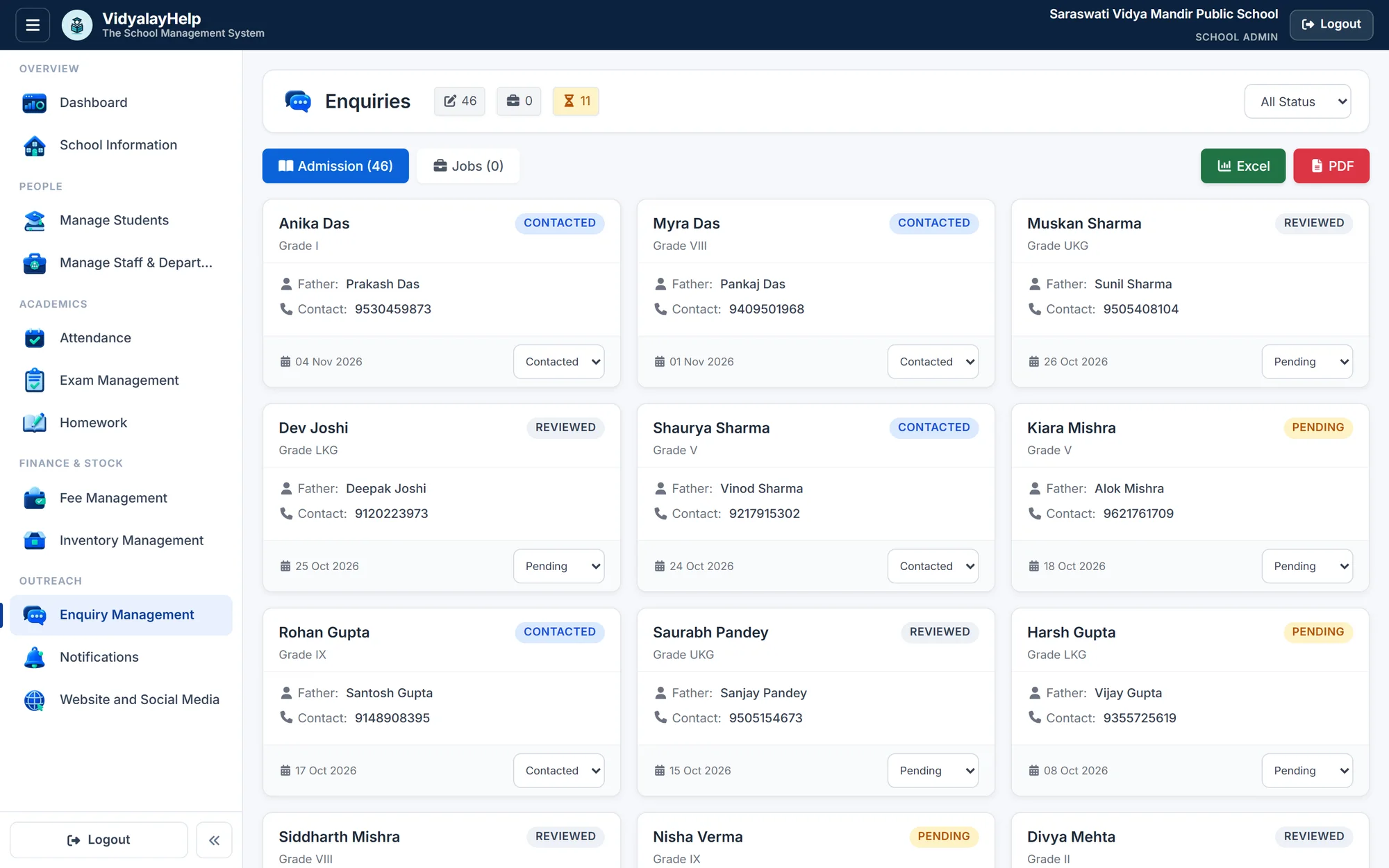
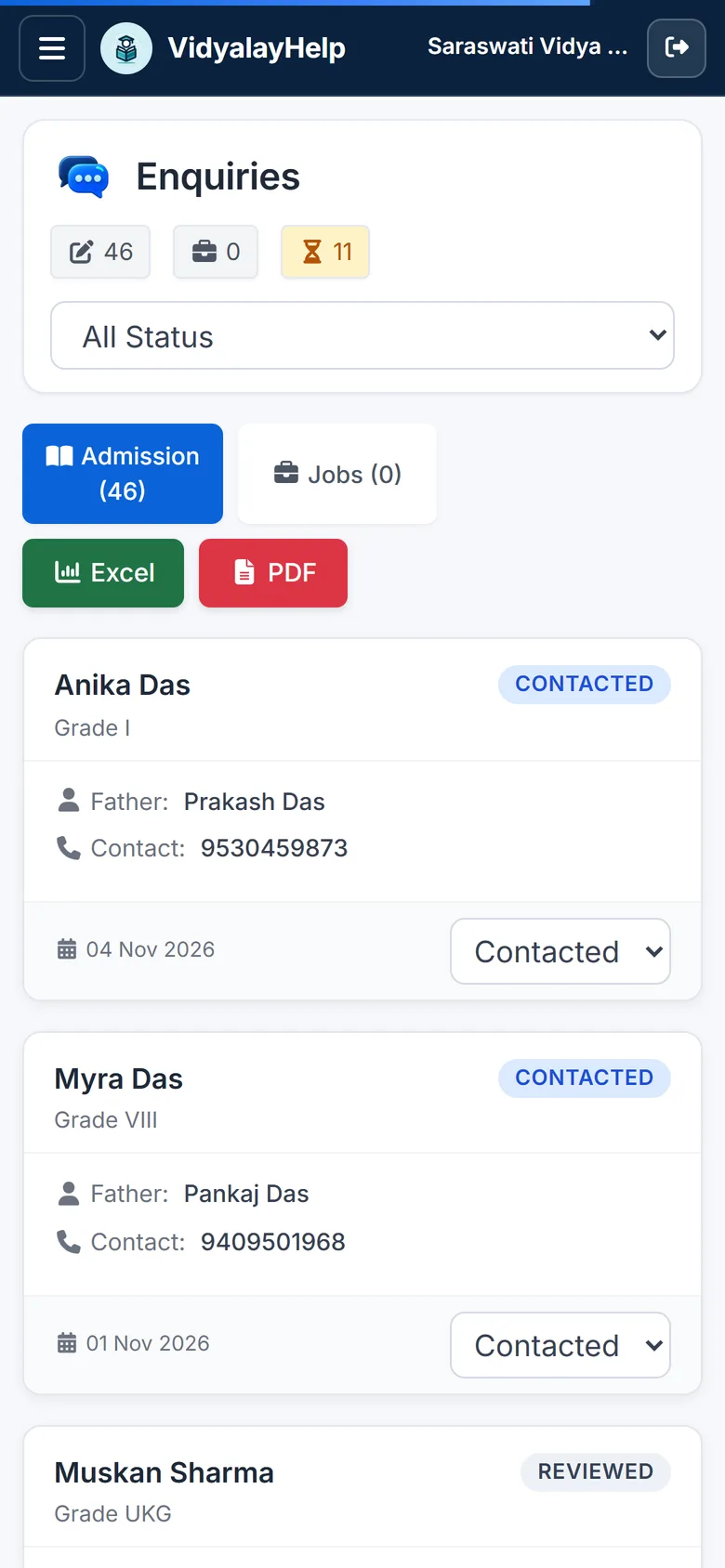
Never lose an admission lead
One form on your website. Every enquiry tracked until admitted.
- Embeddable enquiry form
- Pending to admitted pipeline
- Excel and PDF export
Up and running in minutes
- 01
Sign in with Google
No forms, no passwords to remember.
- 02
Set up your school
Name, classes and sections.
- 03
Add people and go
Import from Excel and start.
Already have an account? Sign in with username or email
Run it under your own brand.
Your schools sign in with a username and password you give them. No Google account needed.
- Your logo, colours and domain
- Username and password for every school
- Modules on or off, per school
- Secure magic links into any school
Built for the phone in your pocket.
Every screen adapts to mobile, and a versioned API powers your own student and teacher apps.
Already have an account? Sign in with username or email
School management software, answered
What is VidyalayHelp?
VidyalayHelp is a cloud-based school management system. It brings student and staff records, attendance, fee collection, exams and results, admissions enquiries, a notice board and notifications into one place, and works on desktop and phone with nothing to install.
Which school management features are included?
Student and staff management, daily attendance with monthly and session reports, fee dues with part-payments and numbered receipts, exam scheduling, marks entry, report cards, admit cards and seating plans, an admissions enquiry pipeline, homework, inventory, notice board, gallery and push notifications.
Can we import our existing students and staff from Excel?
Yes. Download the Excel template, paste in your students or staff and upload it. VidyalayHelp creates the records and login details in bulk, so you do not retype your data.
How does fee management work?
You set up the fee structure once. VidyalayHelp tracks monthly dues for every student, records full and part-payments in cash, UPI or cheque, issues receipts with unique numbers, and gives you a class-wise dues report you can export to Excel.
Does it work on mobile phones?
Yes. Every screen adapts to mobile, so teachers can mark attendance and parents can check notices from a phone. A versioned API is also available if you want to power your own student and teacher apps.
How do teachers, students and parents sign in?
Schools, teachers and parents can sign in with Google or with a username or email and password. Each role sees only what it needs: administrators manage the school, teachers work with their own classes, and students and parents see their own information.
Can I run several schools or offer VidyalayHelp under my own brand?
Yes. Partners can manage multiple schools from one account and use their own logo, colours and domain, switch modules on or off for each school, and open any school with a secure magic link.
Can I export my data?
Yes. Reports such as dues, attendance and enquiries can be exported to Excel or PDF, so your records are never locked in.
How do I get started?
Create an account with Google or email, enter your school name, classes and sections, then import your students and staff from Excel. You can start marking attendance straight away.